Accessing Your Account in the New Portal

Your guide to logging in, reconnecting your health records, tracking your sample, and accessing your results.

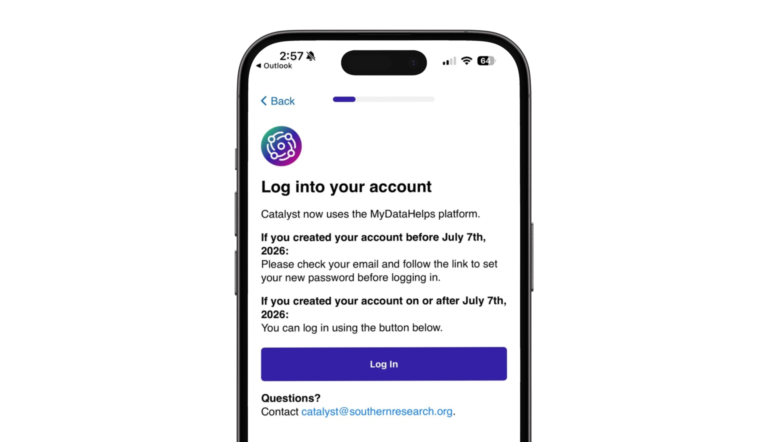
Catalyst has moved to a new participant portal. If you already had a Catalyst account, you will still be able to access your account, but you may need to reset your password first.

Already Have a Catalyst Account?

If you previously created a Catalyst account, you do not need to start over. Use the button below to reset your password and access your account.

Need to reconnect your health records?

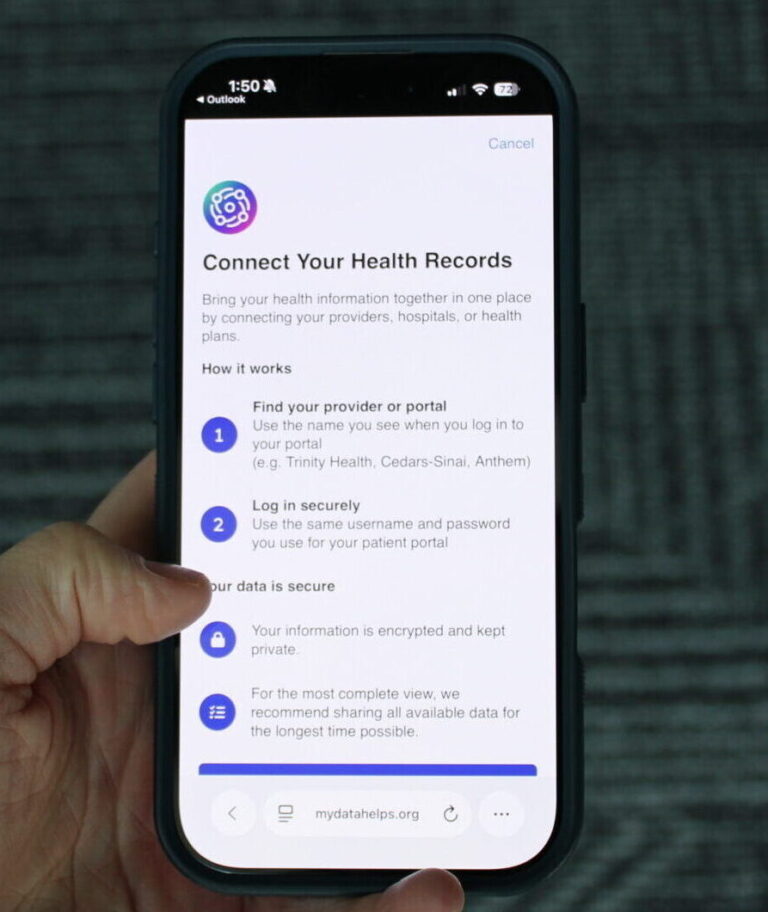
If you previously connected your health records, you will need to reconnect them in the new portal.

HOW TO CONNECT HEALTH RECORDS

  1. Log in to the new Catalyst participant portal.
  2. Click “Connect your EHR.”
  3. Search by your ZIP code, city, or health system.
  4. Select the health system you use.
  5. Follow the prompts to complete the connection.
How Can I Check My Sample Status?

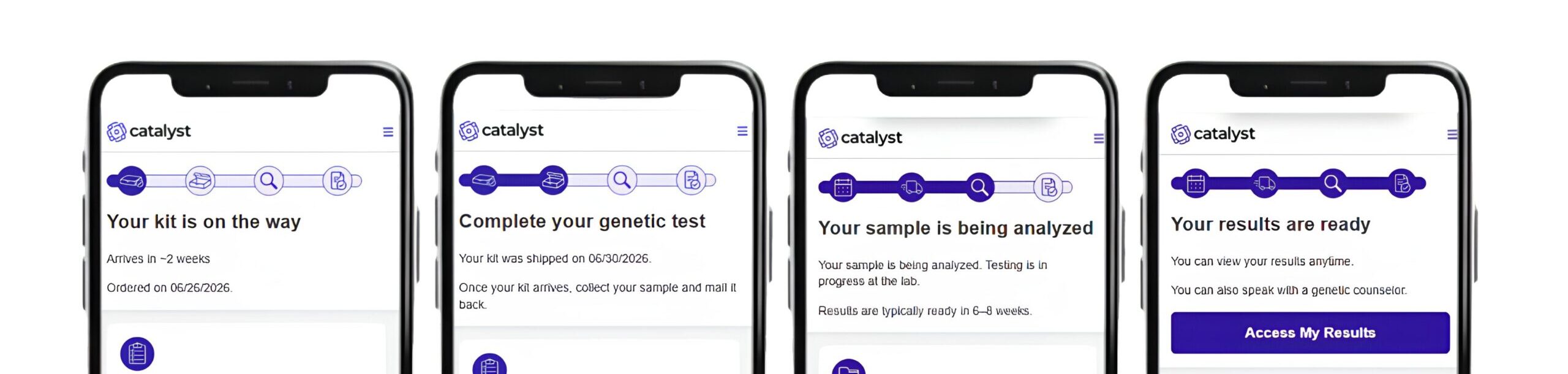
The new Catalyst portal allows you to track the status of your genetic testing sample. After you log in, your sample status will appear on your home screen. This will help you see where your sample is in the process.

Frequently Asked Questions

No. If you already had a Catalyst account, you do not need to create a new account. You will be prompted to reset your password and log in.

Check your spam or junk folder first. If you still do not see it, you can visit the Catalyst website and select “I already have an account” to begin the login process.

Yes. If you want to continue sharing your health records with Catalyst, you will need to reconnect them in the new portal.

The new portal makes this process easier and helps us better identify future clinical trial opportunities you may be eligible for.

Sharing your records is optional, but we encourage you to reconnect by selecting “Connect your EHR” after logging in.

Your sample status will appear on the sample tracker at the top of your home screen after you log in to the new Catalyst portal.

You will be notified when your sample arrives at the lab and when your results are ready.

Your results will still be viewed through MyOme’s patient portal.

When your results are ready you will be sent instructions on how to access your results. To access your results now, visit our Access Your Results page.

If you have trouble logging in, resetting your password, connecting your health records, checking your sample status, or accessing your results, the Catalyst Team can help.

Contact us at catalyst@southernresearch.org or (205) 581-2389.